
Monthly manufacturing shift schedule: Excel template
Download a blank shift schedule in XLSX or CSV. Assign people to work areas, record day and night shifts and check open positions before publishing the plan.
Vakhta / Downtime & incidents
Workers report an obstacle in the bot. Supervisors see its reason, time, status and response history.
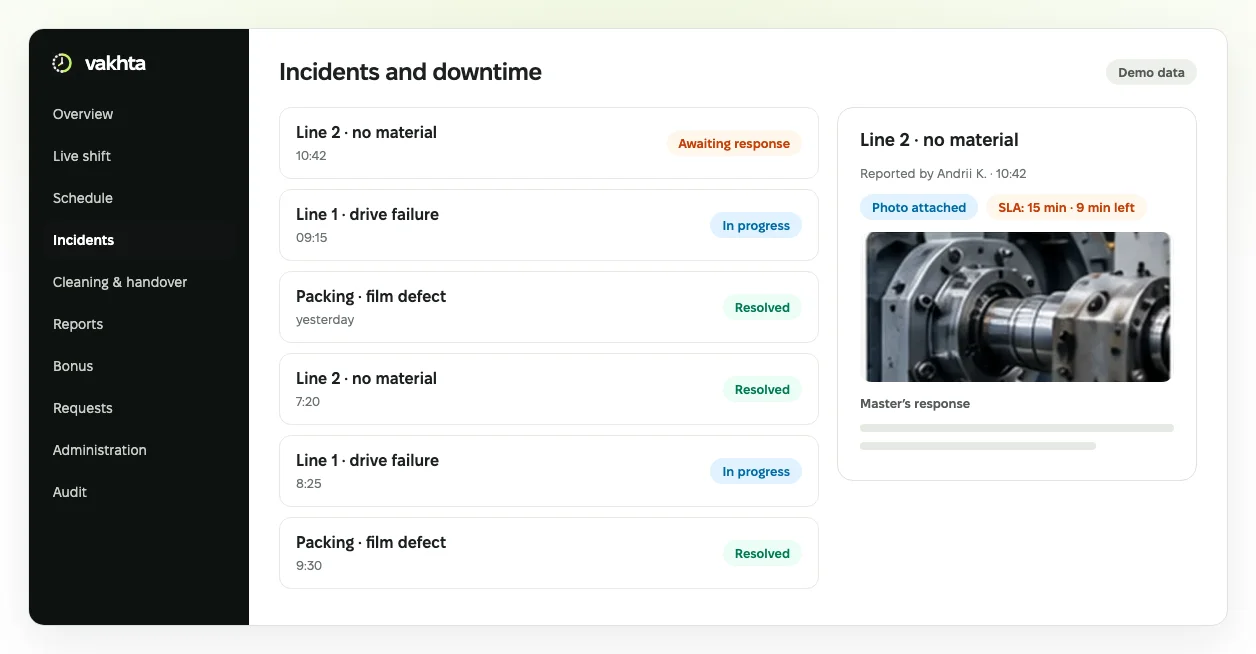
Interface illustration with fictional data. The real interface evolves and may differ.
See who is responding and what has been done. Recurring reasons stay in the record.
Book a demoA work area is waiting for material, but the supervisor hears about it only at shift end.
A worker reports the reason through Telegram. The panel retains context, status and response history, so the team does not have to reconstruct the event from several conversations.
Workers describe the obstacle. The shift supervisor reviews the incident and records a response and decision. Escalation draws attention to overdue responses; the responsible person remains accountable for the decision.
Production leaders review recurring recorded reasons instead of judging the situation by message counts alone.
Choose one recurring obstacle, such as waiting for material. Before starting, agree what counts as a response and how its delay is measured.
Compare similar shifts, check missing records and separate a verified cause from the worker’s initial hypothesis.
Worker records do not replace equipment sensors or establish root cause.
Define the plant, responsible people and reasons before launch. Bring one recent example to the demo without personal or confidential information.
Choose one process, agree who is responsible and evaluate changes using recorded facts.
Download a blank shift schedule in XLSX or CSV. Assign people to work areas, record day and night shifts and check open positions before publishing the plan.
Agree what the incoming shift needs to know about an area, its condition and unresolved questions. Download and adapt this template to your process.
Separate what happened from an assumption about its cause. Use this log to discuss recurring obstacles with the shift supervisor.
Working time accounting in manufacturing with 12-hour shifts: planned vs actual hours, night work, breaks, overtime and the timesheet. A worked week and a template.