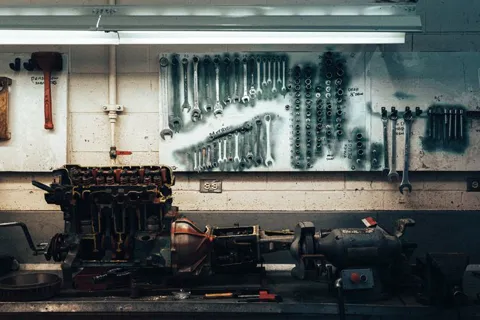
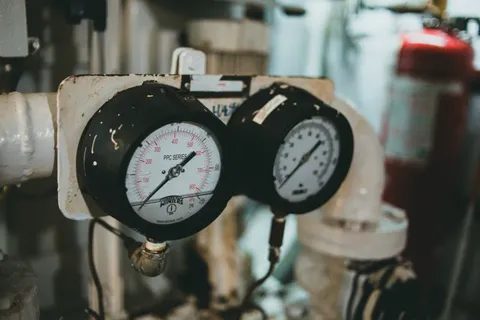
Plan a filter replacement or create emergency work. The mechanic submits through Telegram; a responsible person reviews the result and decides release.
Reconcile the month’s calculation against approved terms and recorded time. Separately enter the accountant’s amount due and a payment that already happened.
Quality decisions stay with the responsible person
Production
From order to output, with recorded decisions
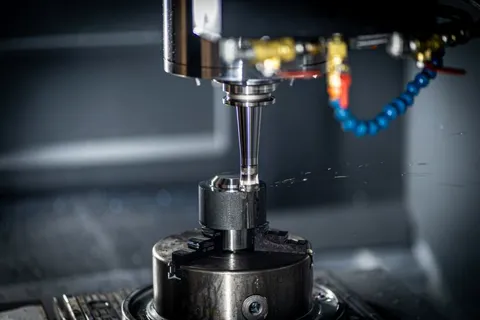
Transfer orders into production, follow their route and record each stage’s result. Good output, scrap and quantities awaiting quality review stay distinct.
Interface illustrations with fictional data. Available actions depend on role, configuration and enabled capabilities.
Why recorded facts win
When everything that happens on a shift is recorded as it happens, there are fewer calls, fewer disputes and fewer surprises at month end.
Today
Logbooks, phone calls and the master’s word
×Timesheets compiled from the master’s memory
×Shifts handed over by word of mouth or in a messenger
×Downtime discovered at the end of the week
With Vakhta
Every shift fact on record
Hours from QR and Telegram, not from memory
Handover with a checklist and photos
Downtime seen in a minute, not a week
See a shift from start to finish
Vakhta supports daily manufacturing work: orders and stages, output and quality, schedules and skills, time tracking, maintenance and salary records. Workers use Telegram; managers use the web panel.
Try it with your team
Today
01
DemoVakhta
Tomorrow · 15:00 · 30 minOnline, on the example of your shop
Confirm Confirmed
Demo
In 30 minutes, we show Vakhta using your shop floor as an example.
Within 3 days
02
Setup
Shop 1 · 24 workers
Zones: Line 1, Line 2, Packing
Checklists for 3 positions
Kiosk at the gate connected
Activation codes sent
Setup
Import structure and employees together, review zones and configure the workflows you need.
In 30 days
03
Trial monthDay 12 of 30
Shifts recorded248
Handovers with photos96
Incidents7
Trial month
You work in real conditions and see your own numbers.
Launch within 3 days for teams of up to 100 people, after we receive all required data. One appointed person on your side prepares the data and approves setup.
A dedicated person for your launch
Your launch manager sets the system up with you, trains supervisors and workers, and is accountable for getting it working.
24/7 support
We respond around the clock, 24/7. Write to support@vakhta.xyz for help with setup and using the system.
Pricing for your team
An individual proposal for your company
Your quote is based on two factors:
Modules
The capabilities your company needs.
Team
The number of people who will use Vakhta.
We provide commercial proposals in USD.
Standard setup and initial team training are included in the agreed proposal.
Download a blank shift schedule in XLSX or CSV. Assign people to work areas, record day and night shifts and check open positions before publishing the plan.
Working time accounting in manufacturing with 12-hour shifts: planned vs actual hours, night work, breaks, overtime and the timesheet. A worked week and a template.
Questions
What determines the price?
We prepare an individual proposal in USD. The price depends on your selected modules and number of people. Standard setup and initial team training are included in the agreed proposal. Use “Get a quote” in the Pricing section.
Do we need a separate app?
No. Workers use Telegram, which is already on their phones, and a QR code on the kiosk. Managers work in a web panel in the browser — nothing to install.
How do we resolve disputed hours?
Every check-in has a time, a zone and an author. The shift supervisor sees exceptions as a separate list: late arrivals, a missing check-out, long downtime. Corrections are recorded with a comment and stay in the history — there is nothing left to argue about.
How does the trial month work?
One month free, with the modules agreed for the pilot. Try the workflows with your team. Support responds around the clock, 24/7.
How long does the launch take?
Within 3 days for teams of up to 100 people, after we receive all required data. One appointed person on your side prepares the data and approves setup. A dedicated launch manager runs the rollout and trains the team. No special hardware — a tablet or a monitor at the gate is enough.
Who sees photos and employee data?
Access is checked against roles and organizational scope. Platform administrators have separate privileged rights for service access. Recorded actions can be checked in the audit history.
Our production is specific
Zones, shifts, downtime reasons and checklists are configured for your areas. A pilot can be limited to one unit and expanded step by step.
How does it work with 1C or BAS?
The timesheet and reports export to XLSX/CSV for accounting. Office accounting stays in your system; Vakhta works on the shop floor.
What happens after the trial month?
Paid continuation starts only after separate agreement. We agree the terms for continued use with you separately.
More about how the system works
Can we manage orders, output and quality?
Yes: from transferring selected lines into production to routes, stages and recorded results. Record good output, scrap and quantities awaiting review; a responsible person decides quality and rework. A stage’s output does not itself fulfill the customer order.
What happens during an in-shift transfer?
An authorized person records the reason and confirms a transfer within the site. Shift parts stay linked and time remains attributed to its workplace. The continuation keeps source pay terms and pins its own checklist. Active production participation must end first; permanent personnel placement stays unchanged.
Can we track salaries and payments?
Yes, in the separate Salary section. Approved rates and recorded paid time feed the period calculation. Record payments that happened and review balances and history. Recording a payment does not transfer money; statutory taxes and banking remain in accounting.
How does equipment maintenance work?
A maintenance plan links equipment, an assignee and materials. Mechanics see their work in Telegram and submit results. An authorized person reviews completion in the panel; returning equipment to service requires their decision.
Can we bring data from spreadsheets?
Import structure and employees from XLSX or CSV. Map fields and review the result before confirming. Each file has one site and effective date. Historical time records, payroll migration and live ERP synchronization are outside this import.
What can the AI assistant do?
Explain procedures using the documentation. It cannot inspect company records, change data or make management decisions. Generated answers depend on a connected AI service; common answers and the Learning Center help explain panel actions.
How does Vakhta help reduce downtime and incidents?
It combines prevention and response: schedules expose staffing gaps, checklists define preparation standards, handovers preserve zone condition, notifications bring in the responsible person, and reports reveal recurring reasons. Results depend on team action and are evaluated in a pilot.
Which manufacturers is this for?
Shift-based production where attendance, work-zone readiness, a master’s response and handover matter. A pilot can focus on one unit, zone and specific process.
How do the kiosk, Telegram and panel connect?
The kiosk displays a QR for arrival and departure. Workers confirm actions and manage their shift in Telegram. Masters use the same records in the web panel for attendance, incidents, reports and decisions.
What can a worker do in Telegram?
Workers manage shifts, view personal schedules and open slots, report problems and submit requests. Their specialty can also provide maintenance work, checklists and help. Actions depend on state, access and configuration.
Does “Finish shift” immediately close the shift?
Yes, when this shift has no pinned required checklist. Telegram closes the shift and records departure and the time summary. With a required checklist, the worker completes cleaning and submits the report, then closes through the exit QR. The obligation belongs to the session; later configuration changes do not remove it. Supervisor closure with a comment and rule-based automatic closure remain available.
What does scheduling offer beyond a calendar?
Plans and alternatives, zones, several shifts per day, absences, coverage, open slots and offers to workers. Check availability and skills before selecting a person. Publishing notifies workers of plan changes. A schedule does not replace actual time records.
How does a master hear about an incident?
A worker reports it through the bot and the responsible person is notified. The panel shows the state, reason and response history. Configured reminders and escalation rules apply to overdue responses.
How do cleaning and handover work?
Workers prepare the zone, complete their position’s checklist and add required photos. A master reviews the material and approves or records a concern. The next shift sees the handover and records zone acceptance.
Can we create our own checklists?
Yes. Administrators define items, required photos and review rules, then link a checklist to a position. Versions preserve the requirements used for earlier reports.
Does the system decide that a zone is clean?
Photo-review results assist review. The master remains responsible for the report decision and observations. We do not promise infallible automated cleanliness detection.
What can we see in reports?
Losses, people, money and data completeness within your authorized scope. Open unit, worker or shift drilldowns and use the available export. Missing evidence is separate. Output and quality live in the production module and do not establish automatic OEE.
How is the bonus different from payroll?
Bonus covers points and scoring history. Salary covers approved terms, recorded time, period calculations and payment records. Your company defines cash-bonus rules. Recording a payment does not transfer money, and the system does not calculate taxes.
How do employee requests work?
Workers submit requests such as leave or corrections in Telegram. Responsible people review them through approval stages in the panel, recording decisions and comments with history.
Can we message workers from the panel?
Yes. Select recipients, prepare text, add supported attachments or a questionnaire, and send through Telegram. Sent messages can be reviewed.
Who can see data and decisions?
Access depends on assigned roles and responsibility scope. Administration manages people, roles and terminals; audit records help inspect changes. We will review permissions for your structure during the demo.
Do we need special hardware or machine integrations?
The kiosk is a web page on a prepared browser-equipped screen; workers use Telegram and managers use a browser. Device compatibility is checked before a pilot. Machine connections, ERP/MES integrations and automatic OEE are not advertised as ready capabilities.
What happens without internet access?
Telegram, current QR codes and communication with the panel require connectivity. We do not promise a full offline mode. A fallback workflow and permitted master actions are agreed for the pilot.
Is this real production data?
The interfaces are illustrations with fictional data. They explain Vakhta workflows; the real interface evolves and may differ. Factory scenes are licensed footage. They are not customer testimonials or evidence of measured savings.
How will we evaluate impact in our factory?
Select a process and zone, record the baseline and agree success criteria. Review record completeness, response time, recurring incidents and handovers. No downtime-reduction percentage is promised in advance.
Start with one shop
Book a 30-minute demo: we will show Vakhta using your shop floor as an example and agree on a trial month.