
Monthly manufacturing shift schedule: Excel template
Download a blank shift schedule in XLSX or CSV. Assign people to work areas, record day and night shifts and check open positions before publishing the plan.
Vakhta / Photo review
Supervisors mark objects on cleaning-report photos and record a verdict for each, with AI only suggesting. Saved reviews settle disputes with evidence.
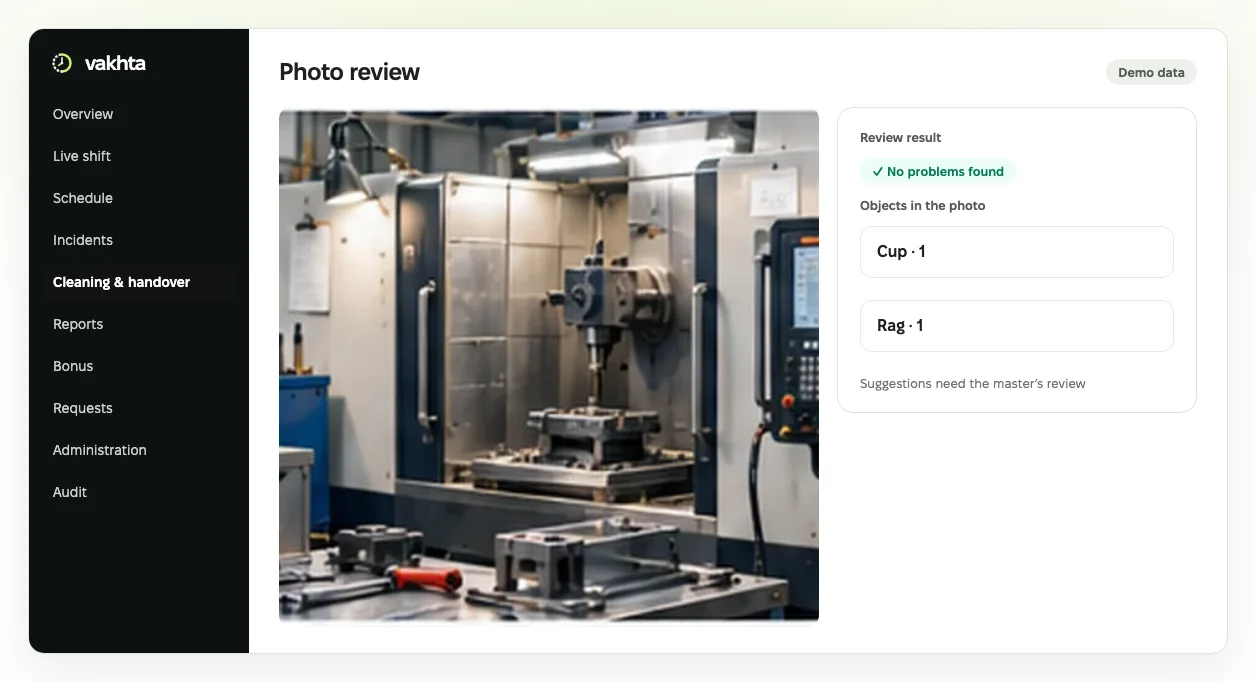
Interface illustration with fictional data. The real interface evolves and may differ.
Shared context for cleanliness reviews. The supervisor remains accountable for the decision.
Book a demoAfter cleaning, a worker sends a photo of the zone, yet arguments about what the photo actually showed go on for weeks. In Vakhta a supervisor or cleanliness controller opens the report photo, draws a box around each object and marks it as a violation, allowed here, or unsure. The photo outcome follows from those marks.
All saved reviews are collected on the Annotated photos page, searchable by worker, zone, date and result. The same review also opens from the cleanliness and handover page.
A person makes the decision. A reviewer can optionally run an AI analysis that looks only for the objects listed for that checklist, such as a rag, a cup or a cable. The reviewer accepts each suggestion or rejects it with a reason.
Every save creates a new revision and an audit entry. Photo review does not change the original image, the handover decision or the worker’s points. HR and auditors can read results within their access scope. The reviewer also answers whether AI helped; that rating never changes the review result.
Start with one zone and a short list of objects that must not appear in the photo. Compare how different supervisors mark similar photos and agree on shared rules.
If you use AI suggestions, count missed objects, false suggestions and the reviewers’ answers to “Did AI help?”. Decide to automate any step only after checking the results on other shifts and zones. Also record how long it takes to review one photo with and without suggestions, and keep disputed photos as training examples for supervisors.
A photo shows the visible condition of a workplace and its equipment: cleanliness, foreign objects, order. It does not establish a machine’s technical condition, hidden surfaces or electrical safety, and it does not replace equipment sensors or telemetry.
AI suggestions can be wrong and are never saved without a person. Launch needs checklists with photo items and a list of objects. Do not photograph documents or people unless needed to assess the zone. The object list is set once per checklist and carries over to new checklist versions.
Choose one process, agree who is responsible and evaluate changes using recorded facts.
Download a blank shift schedule in XLSX or CSV. Assign people to work areas, record day and night shifts and check open positions before publishing the plan.
Agree what the incoming shift needs to know about an area, its condition and unresolved questions. Download and adapt this template to your process.
Separate what happened from an assumption about its cause. Use this log to discuss recurring obstacles with the shift supervisor.
Working time accounting in manufacturing with 12-hour shifts: planned vs actual hours, night work, breaks, overtime and the timesheet. A worked week and a template.